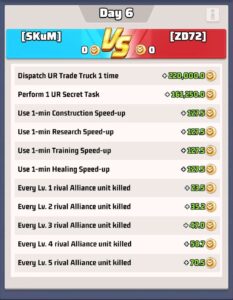
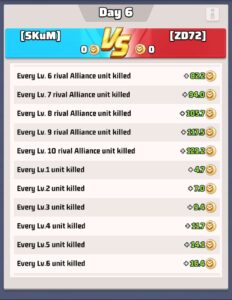
On Enemy Buster Day, points can be scored for killing and losing troops in fights against other players. Points are awarded based on the level of the troops killed or lost, and whether or not you killed the troops of another warzone or our VS enemy.
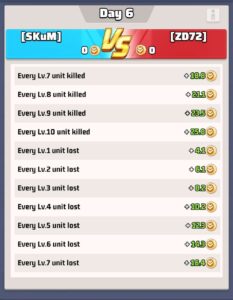
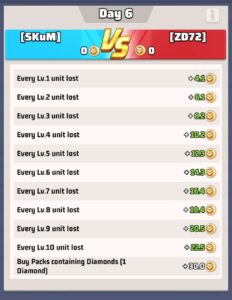
Shields
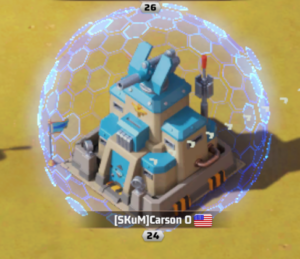
If you will be offline for any point of time on Buster Day, you should have a shield up to prevent losing troops while you are away.
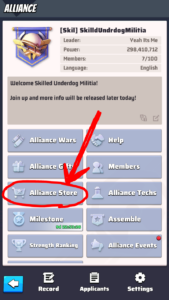
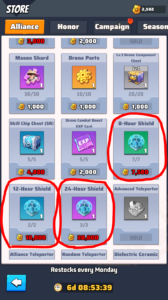
A shield can be purchased from the alliance store using alliance store credits (also known as alliance contributions). You gain these credits by helping your alliance members build, heal, research, and by donating to alliance tech or the Marshall event. To buy a shield, go to the alliance store and scroll down, there are 3 shield options. 24 hours, 12 hours, and 8 hours. Plan accordingly!
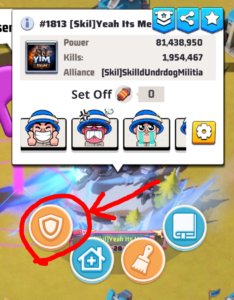
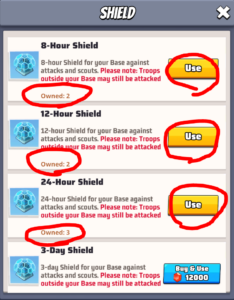
To activate a shield: The easiest way is to select your base, then select the shield icon, then select which shield you wish to use! Here, you can also quickly see how many of each you have in stock (note: if you already have a shield active, the timer is reset to whatever the time is on the new shield, it does not stack)
Defending Your Wall
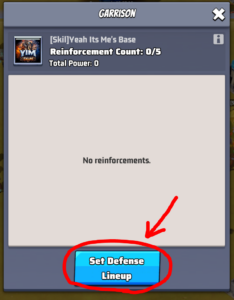
During buster day, it can be beneficial to remove your troops from defending your wall. This makes it so that you lose less troops when you are hit by an enemy. You still lose some troops, but only closer to 400-700 instead of the 4000-6000 per hit that you could lose if they are defending and they lose. There are 2 ways to check if you have troops defending your base. The check-box that says “Join Defense” determines if your troops will defend.
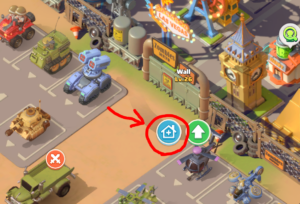
Option #1 from the world map – select your base then click the blue house + icon, set defense lineup:
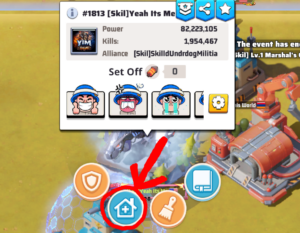
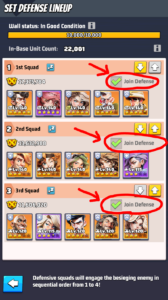
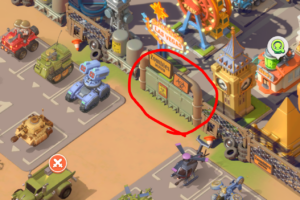
Option #2 from your base – select your wall, then the blue house + icon: