
*CLICK HERE IF YOU WERE PLUNDERED (SKIP TO BOTTOM)*
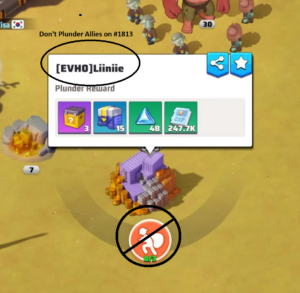
Plundering!
We all like to max out our plunders and get those sweet rewards each day! Lots of goodies such as UR shards, Secret Order tickets, Hero tickets, and more! However, our server has rules in place about plundering both Trucks and Secret Tasks within our server. Please see the post about Server 1813 Rules if you did not know we have rules!
Trucks
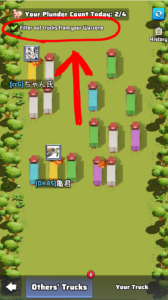
Trucks are randomly presented to you for plunder in the truck menu and at the truck depot:
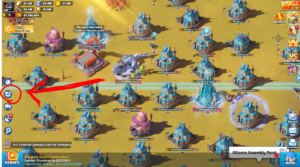
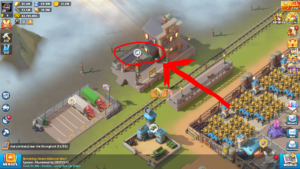
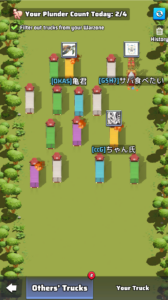
You can pick and choose among the available trucks, but per our server rules, if you plunder a truck from our server, the owner of the truck can either attack you directly or request someone stronger than them to attack you directly.
The game allows you to easily filter out all trucks from our server from popping up on this screen. At the top left of the screen is a check-box that says “Filter out trucks from your Warzone”. If this is checked with a green checkmark, you will only be shown trucks to plunder from other servers.
Secret Tasks
Secret Tasks can be found by searching the world map. Just like Trucks, plundering of Secret Tasks in server 1813 is not allowed. “But how do I get to other servers” you may ask? Using the same method as described above for plundering trucks, when you click plunder the game will take you to that other warzone!
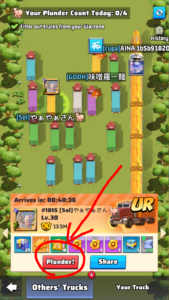
Use a truck in the above screen and get transferred to the other warzone. As you can see here, we are now in Warzone #1815:
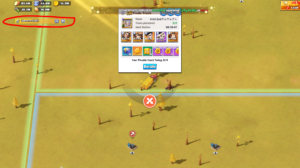
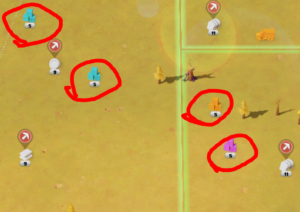
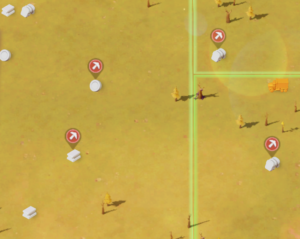
From here, you can pan around the map and look for Secret Tasks to plunder, without worry of plundering tasks from our own server! If you zoom out slightly, but not too far, you are able to see the rarity and level of the tasks as you pan across the map. Use this to help you quickly find UR tasks to plunder! In the pictures below you can see one is zoomed out the perfect distance and can see this info, the other is zoomed out too far to see these tasks:
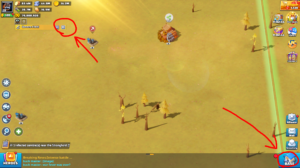
When you are finished in a warzone, you can return to your original #1813 warzone in 2 ways. Either click the base icon at the bottom right corner of the screen, or click the return arrow at the top left of the screen where it says what warzone you are in:
What if I was plundered by someone else?
I WAS PLUNDERED
In simple terms. Do nothing.
Update May 13, 2026:
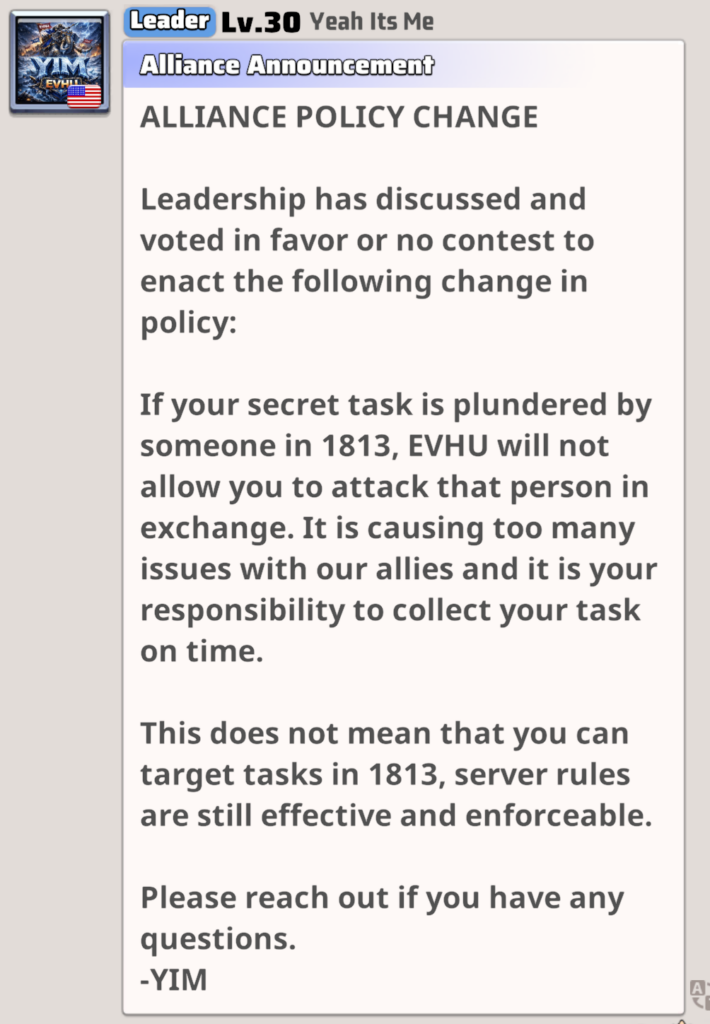
I’m going to leave the rest below because it’s still relevant.
Here’s the deal. If you get plundered *technically* we’re allowed to attack twice to make up for the loss (not anymore as per new EVHU rules). But the reality is we lose VERY LITTLE on plunders (10% on just some of some of the loot) and it really only hurts the server overall to enforce this rule. If you take 2 base hits that’s millions of resources and possibly troop loss and that’s not even close to fair compared to the small amount you lost on a task. The whole server may not adopt this policy but we are asking EVHU to look past the occasional plunder to help better the server. Granted if this becomes a repeat thing from the same person or group and you feel like maybe it’s intentional or getting out of hand we can address it then. But please message leadership first before attacking. Attacking really only causes more problems than it solves.
HOW TO AVOID GETTING PLUNDERED
This part is easy. To avoid getting plundered, set an alarm to remind you to collect your tasks. Simple: If you collect your tasks they can’t get plundered.
STILL WANT THE OFFENDER TO MAKE IT RIGHT WITHOUT ATTACKING?
If it REALLY matters that much to you, the solution is simple. Just message them, explain to them that they plundered your task, ask them if they would mind letting you plunder one of theirs. When they dispatch a secret task, they can share the link with you and the time it expires. Then it’s up to you to grab it on time.